
.png)
Description
Download FUTBIN FIFA 23 Squad Builder – free online FUT team planner
Overview
FUTBIN FIFA 23 Squad Builder is a free‑to‑use web‑based companion tool designed for FIFA 23 Ultimate Team (FUT) enthusiasts. Built on a responsive, secure platform, the app lets you browse the latest player prices, explore real‑time stats, and assemble your ideal squad without ever opening the console game. Whether you play on PlayStation, Xbox, Nintendo Switch, PC, or even on mobile via the FUT 23 Web App, this online tool mirrors the in‑game chemistry system and offers a visual, isometric view of a soccer pitch where you can drag‑and‑drop players into eleven positions plus a manager slot. The database updates automatically with each FUT patch, ensuring that prices, ratings, and chemistry links reflect the current market. The interface is clean and intuitive, yet the depth of filtering—by nation, league, club, card type (Gold, Silver, Bronze, FUT Heroes), and specific attributes like Pace or Shooting—creates a steep learning curve that rewards dedicated users. In short, FUTBIN FIFA 23 Squad Builder acts as a powerful, cross‑platform app for planning, testing, and perfecting your lineup before committing coins in‑game, making it an essential resource for both casual fans and competitive players aiming for higher rankings.
Key Features of FUTBIN FIFA 23 Squad Builder
- Live Player Prices & Market Data – Access up‑to‑the‑minute prices for every FUT 23 card, helping you make cost‑effective buying decisions.
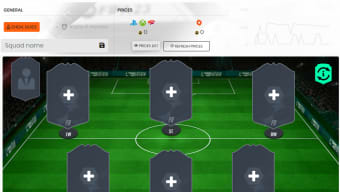
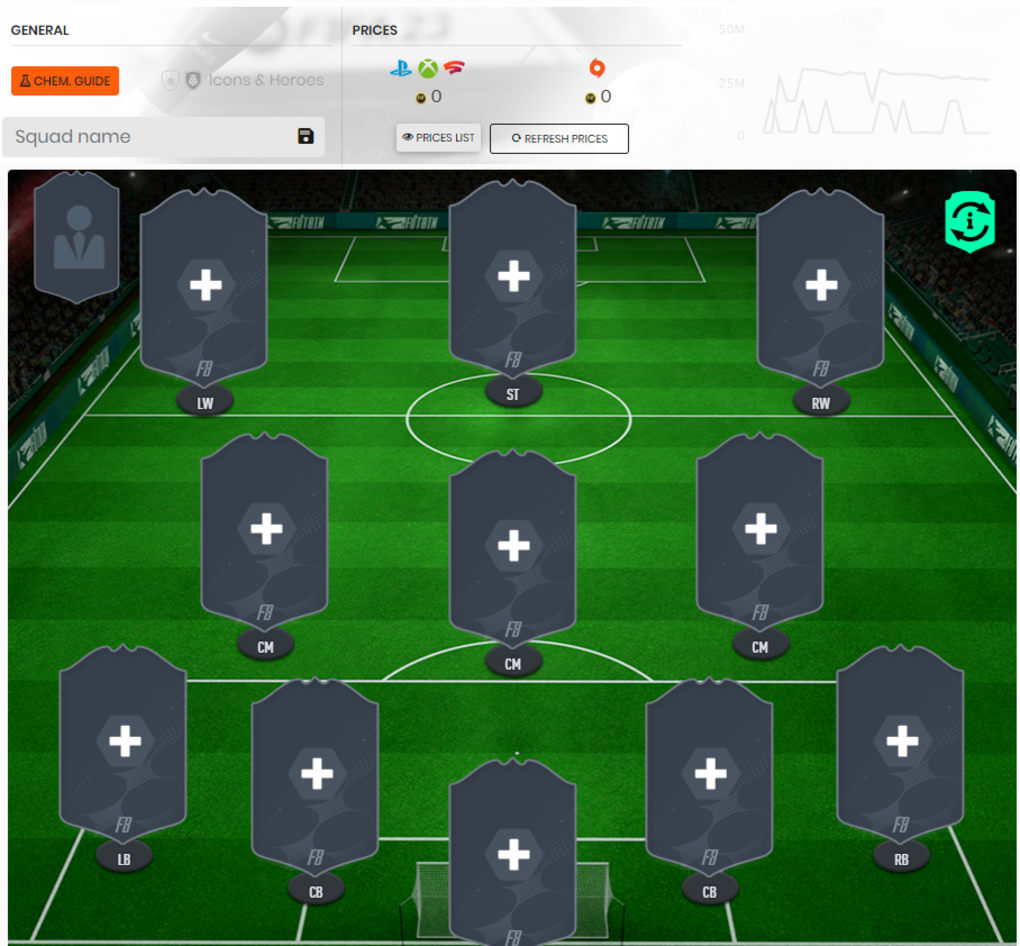
- Interactive Isometric Pitch – Drag and drop players onto a 3‑D view of the field, instantly seeing placement, position, and chemistry effects.
- Comprehensive Filter System – Narrow down players by Nation, League, Club, Card Type, Position, and individual stats such as Shooting, Passing, or Physicality.
- Chemistry Star Rating – The new three‑star chemistry system highlights optimal player placement, flagging mismatched positions with clear visual cues.
- Cross‑Play Compatibility – Works seamlessly with FUT 23 on PC, consoles, and mobile browsers, supporting the same data set across all platforms.
- Secure Cloud‑Based Storage – Save multiple squad configurations online, retrieve them from any device, and share with friends via a simple URL.
- Regular Updates & Patch Sync – Automatic updates align the builder with EA’s weekly card releases, ensuring new players and meta shifts are instantly reflected.
- Free Access, No Installation Required – As a web app, there’s no need to download a heavy client; just open your browser and start building.
How to Install and Use the Web‑Based Squad Builder
Because FUTBIN FIFA 23 Squad Builder is a cloud‑hosted app, the “installation” process is reduced to a few simple steps. First, open any modern browser—Chrome, Edge, Firefox, Safari, or even the built‑in browsers on Android and iOS devices. Navigate to futbin.com/fifa23/squad-builder. The site will automatically detect your operating system and deliver an optimized layout for desktops, tablets, or smartphones.
Once the page loads, you’ll see the isometric pitch with empty slots labeled by position (GK, LB, CB, RB, LM, CM, RM, LW, ST, RW) and a manager slot at the top. To add a player, click the “Search Player” bar, type the name or apply filters from the left‑hand sidebar. The sidebar allows you to pick a league, nation, or specific card type. After finding the desired player, click “Add to Squad” and the player instantly appears on the pitch. The chemistry stars update in real time, turning green for a perfect three‑star link, yellow for two stars, and red for a weak connection.
Saving your squad is as easy as clicking the “Save” icon in the top‑right corner. You’ll be prompted to create a free FUTBIN account or log in with an existing one. Saved squads are stored securely in the cloud and can be accessed later via the “My Squads” dropdown. To share a lineup, click the “Share” button; a short URL is generated that you can post on forums, Discord, or social media.
For players who want deeper analysis, the “Stats Overview” tab provides a breakdown of each player’s key attributes, price trends, and a projected overall rating based on your current chemistry. You can also experiment with “What‑If” scenarios by toggling the “Lock Chemistry” option, which prevents accidental changes while you test different formations.
Finally, remember to refresh the page after major FUT updates (typically on Tuesdays) to ensure the latest player data is loaded. The app’s auto‑update feature handles most changes, but a manual refresh guarantees you’re working with the freshest market information.
Compatibility, Pros and Cons
FUTBIN FIFA 23 Squad Builder runs entirely in the browser, making it compatible with virtually any operating system that supports modern web standards. Whether you’re on Windows 10/11, macOS, Linux, Android, iOS, or a console’s built‑in web browser, the tool delivers a consistent experience. The responsive design adapts to different screen sizes, offering a full‑desktop layout on larger monitors and a simplified touch‑friendly interface on smartphones and tablets.
Pros
- Completely free – no hidden fees or subscription required.
- Instant access – no download, install, or heavy client.
- Live market data ensures you’re always building with the latest prices.
- Rich filtering options let you pinpoint exact players quickly.
- Accurate three‑star chemistry system mirrors in‑game mechanics.
- Cross‑platform cloud storage lets you switch devices without losing progress.
- Regular automatic updates keep the database in sync with EA’s patches.
- Secure HTTPS connection protects your data and squad configurations.
Cons
- Steep learning curve for beginners unfamiliar with FUT chemistry.
- Requires a stable internet connection; offline use is not possible.
- Advanced analytics (e.g., price trend graphs) are limited compared to premium paid tools.
- Mobile browsers may show slightly slower load times due to large data sets.
- There is no native desktop app, which some power users prefer for faster performance.
Overall Rating: 4.5/5
Pros: Free, real‑time data, cross‑platform, intuitive drag‑and‑drop, accurate chemistry.
Cons: Requires internet, learning curve for newcomers, limited offline features.
Frequently Asked Questions
Is FUTBIN FIFA 23 Squad Builder really free?
Yes, the Squad Builder is completely free to use. You only need an internet connection and a modern browser. There are optional premium features on FUTBIN’s main site, but the core squad‑building tool does not require payment.
Do I need to create a FUTBIN account to save my squads?
Creating an account is optional for one‑off builds, but to save squads in the cloud and access them from any device, you’ll need a free FUTBIN account. Signing in also enables sharing via a short URL.
Can I use the Squad Builder on my console’s web browser?
Yes. The tool is fully compatible with the built‑in browsers on PlayStation, Xbox, and Nintendo Switch. The responsive layout adjusts to the console’s screen size, giving you the same functionality as on a PC.
How often is the player database updated?
FUTBIN updates its database automatically after every EA patch—typically on Tuesdays and occasional mid‑week updates. Prices, new cards, and chemistry changes are reflected within minutes.
Is there any risk of my data being compromised?
The Squad Builder runs over HTTPS, encrypting all data in transit. Saved squads are stored on FUTBIN’s secure servers and are only accessible via your account credentials. As long as you use a strong password, the risk is minimal.
Conclusion & Call to Action
FUTBIN FIFA 23 Squad Builder stands out as a robust, free, and secure tool that brings the full depth of FUT chemistry and market analysis to any browser. Whether you’re a newcomer learning how player links work or a veteran chasing the perfect meta, the interactive pitch, live price feeds, and extensive filter options give you everything you need to craft a winning lineup. Its cross‑platform nature means you can plan on a laptop, tweak on a phone, and execute on a console without missing a beat. While the learning curve can be intimidating at first, the payoff—more efficient SBC completions, smarter coin spending, and higher match‑day performance—makes the investment of time well worth it.
Ready to elevate your FUT experience? Click here to launch FUTBIN FIFA 23 Squad Builder now, create your dream squad, and start dominating the competition today!
Guides & Tutorials for FUTBIN FIFA 23 Squad Builder
How to install FUTBIN FIFA 23 Squad Builder
- Click the Preview / Download button above.
- Once redirected, accept the terms and click Install.
- Wait for the FUTBIN FIFA 23 Squad Builder download to finish on your device.
How to use FUTBIN FIFA 23 Squad Builder
This software is primarily used for its core features described above. Open the app after installation to explore its capabilities.
User Reviews for FUTBIN FIFA 23 Squad Builder 0
No reviews found




